
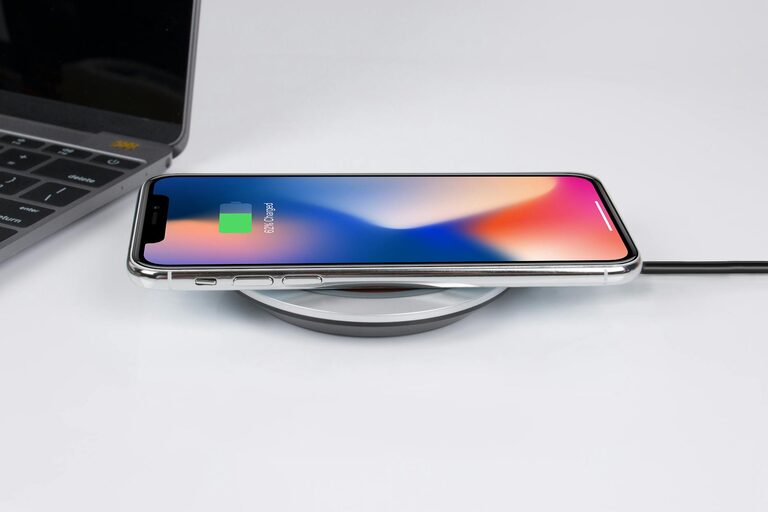
Setting up a dedicated charging station for your devices can help keep your space organized, reduce clutter, and make charging multiple items easier and faster. Whether you have smartphones, tablets, wireless earbuds, or smartwatches, a well-planned charging station can serve as a central spot to power up all your gadgets. In this guide, we’ll walk through the essentials of creating your own charging station at home.
Why Have a Charging Station?
With so many devices needing regular power, cords and chargers often end up scattered on desks, counters, or nightstands. A charging station helps:
– Keep your space tidy by containing cables and devices in one area
– Ensure devices are charged and ready to use
– Prevent lost chargers and tangled wires
– Provide a convenient routine spot for charging items overnight or during the day
What You’ll Need to Set Up a Charging Station
Before you begin, gather the necessary items:
– Power strip or charging hub: Choose a power source that supports multiple chargers with surge protection for safety.
– Charging cables: Make sure you have the right cables for your devices, including USB-C, Lightning, or micro-USB as needed.
– Organization tools: Cable clips, ties, or sleeves keep cords neat and prevent tangling.
– Container or stand: Options include a small box, tray, or multi-device charging dock. Select something that fits your space and device types.
– Labeling supplies (optional): Labels help identify which charger or cord belongs to each device.
Step-by-Step Guide to Building Your Charging Station
1. Choose a Location
Pick a spot that is:
– Close to a power outlet
– Easily accessible for daily use
– Preferably away from water or heat sources
– A surface spacious enough to hold your devices without crowding
Common locations include desks, kitchen counters, or bedside tables.
2. Gather All Your Devices and Chargers
Collect every device you want to charge at the station. This might include:
– Smartphones and tablets
– Smartwatches and fitness trackers
– Wireless headphones and earbuds
– E-readers or other portable electronics
Ensure you have the compatible chargers and cables ready.
3. Select Your Charging Setup
Based on your device types and number of gadgets, decide between:
– Multiple chargers plugged into a power strip: Place a power strip with several outlets on or under your chosen surface. Plug each device’s original charger into it.
– A multi-port USB charging hub: These hubs often support several devices with fewer cables needed. Look for models with enough ports and fast charging support.
– A charging dock or stand: These are handy for holding and charging specific devices, such as a combined phone and smartwatch dock.
4. Organize Your Cables
Use cable organizers to avoid tangling:
– Attach cable clips along the edge of your table or workstation to hold cables in place.
– Use cable ties or Velcro strips to bundle excess cable length.
– Consider cable sleeves for a clean, unified look.
5. Arrange Your Devices
Place each device in a dedicated spot on the station, keeping:
– Frequently used devices within easy reach
– Devices upright or flat, depending on the charging method
– Enough space between devices to prevent overheating
6. Label Your Charging Cables (Optional)
If multiple people use the station or if you have similar chargers, labeling cords can reduce confusion and prevent mix-ups.
7. Test Your Station
Before finalizing, plug in your devices and confirm everything charges correctly. Adjust the setup if needed.
Tips for Maintaining Your Charging Station
– Keep it Clean: Dust and crumbs can accumulate in charging areas. Wipe down the station regularly.
– Check Cables: Periodically inspect cables for damage and replace worn ones.
– Avoid Overloading: Do not plug too many devices into one outlet to prevent electrical issues.
– Upgrade if Needed: Technology changes rapidly. Consider upgrading to faster chargers or wireless options as your devices evolve.
Wireless Charging Options
If your devices support wireless charging, consider adding wireless pads or stands to your station. Wireless chargers reduce cable clutter and make device pickup easier.
When placing wireless chargers, ensure they are plugged into a power source and that devices align properly for efficient charging.
Conclusion
Creating a charging station for your devices not only keeps your area neat but also streamlines your daily routine. By choosing the right location, organizing cables, and using appropriate chargers, you can build an efficient and safe charging hub that meets your needs. Take a little time to plan your setup, and enjoy the benefits of an orderly, stress-free charging space!
—
Feel free to share your own tips or setup ideas in the comments below!