
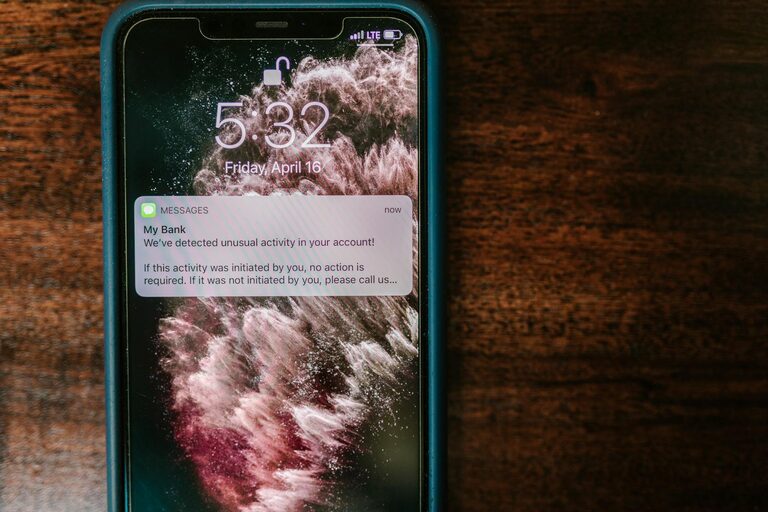
In our digital world, notifications are a constant presence, vying for our attention throughout the day. While they can be useful reminders, alerts, and updates, they also have the potential to disrupt focus and create unnecessary stress. Learning how to set healthy boundaries with notifications is essential for maintaining concentration, improving productivity, and fostering a better work-life balance.
In this post, we’ll explore practical tips to help you manage your notifications effectively and regain control over your time and attention.
Why Setting Boundaries with Notifications Matters
Notifications are designed to grab our attention quickly, often triggering habitual checking behavior. This can lead to:
– Frequent distractions and interruptions
– Decreased productivity and slowed progress on tasks
– Increased stress and reduced mental clarity
– Difficulty unplugging and relaxing during personal time
By setting clear boundaries for when and how you receive notifications, you create space for deeper focus, better time management, and greater calm in your daily routine.
1. Understand Which Notifications Matter
Not all notifications deserve your immediate attention. Start by reviewing the types of alerts you receive:
– Work-related updates (emails, project management tools)
– Social media interactions
– News alerts
– Messages from family and friends
– App reminders (fitness, calendar, to-do lists)
Ask yourself which notifications are essential during work hours and which can be postponed or turned off altogether.
2. Customize Notification Settings on Your Devices
Most devices and apps allow you to control how and when you receive notifications. Take advantage of these options:
– Do Not Disturb Mode: Use during focused work periods or while sleeping to silence all or select notifications.
– Priority Notifications: Set essential contacts or apps as priority, allowing only important notifications through.
– App-specific Settings: Disable non-critical alerts from apps or reduce the frequency of notifications.
– Silent or Banner Alerts: Choose less disruptive alert types rather than loud sounds or pop-ups.
Regularly updating these settings ensures you’re only alerted when necessary.
3. Set Specific Times to Check Notifications
Instead of reacting to every alert, designate specific times to review messages and updates:
– Batch Checking: Group notification review into scheduled blocks, such as mid-morning, lunchtime, and late afternoon.
– Avoid Constant Checking: Resist the urge to check your devices immediately after receiving a notification.
– Mindful Review: Approach notifications intentionally, focusing on responding rather than quickly scanning.
This method helps reduce distraction and maintains your workflow.
4. Use Technology to Help You Stay Focused
Several tools and apps are designed to help manage notifications and support focus:
– Focus Mode or Focus Assist: Built-in features on many operating systems that temporarily block notifications.
– Third-Party Apps: Options like Forest, StayFocusd, or Freedom allow you to block distracting apps and websites during focus times.
– Email Filters and Rules: Automatically sort and prioritize emails to highlight important messages and archive others.
Leveraging technology wisely can help reinforce your boundaries.
5. Communicate Your Notification Preferences Clearly
If you’re part of a team, family, or social group, share your preferences so others understand your availability:
– Inform colleagues about your “quiet hours” for focused work.
– Let friends and family know the best times to reach you.
– Set expectations around response times in different channels (email vs. phone).
Clear communication prevents misunderstandings and helps maintain boundaries.
6. Create a Notification-Free Environment Periodically
Blocking all notifications for certain times during the day can be refreshing and restore your mental energy:
– Focus Sprints: Set phone and computer to silent for short periods dedicated to deep work.
– Offline Time: Allocate time each day to disconnect from digital devices entirely.
– Digital Detox Days: Regularly plan screen-free days or extended breaks from notifications.
These practices make it easier to reset and recharge.
7. Be Patient and Adjust Gradually
Changing your habits around notifications won’t happen overnight. Try these tips step-by-step:
– Start with turning off the least important notifications.
– Experiment with focus modes and scheduled checks.
– Adjust based on what feels manageable and effective.
With small, consistent changes, setting boundaries will become a natural part of your routine.
Final Thoughts
Notifications don’t have to control your attention or your day. By understanding which alerts truly matter and setting intentional boundaries around your devices, you can protect your focus, reduce distraction, and achieve a healthier relationship with technology. Start today by customizing your settings, communicating your preferences, and scheduling notification-free times to create a calmer, more productive environment.
Remember: managing notifications is a tool for your wellbeing, not just digital management, so be gentle with yourself as you develop your new habits.